Welcome to AutoTomeQC
AutoTomeQC is an automated pipeline designed for Sectioning Quality Control. It integrates YOLO segmentation models and algorithmic checks to validate the quality of biological sections dynamically.
Features
- Interactive CLI: Quickly test and validate sections on the fly.
- Python API: Integrate into your hardware acquisition loops.
- Comprehensive QC: Checks for section coverage, knife marks, thickness, and shape.
How It Works
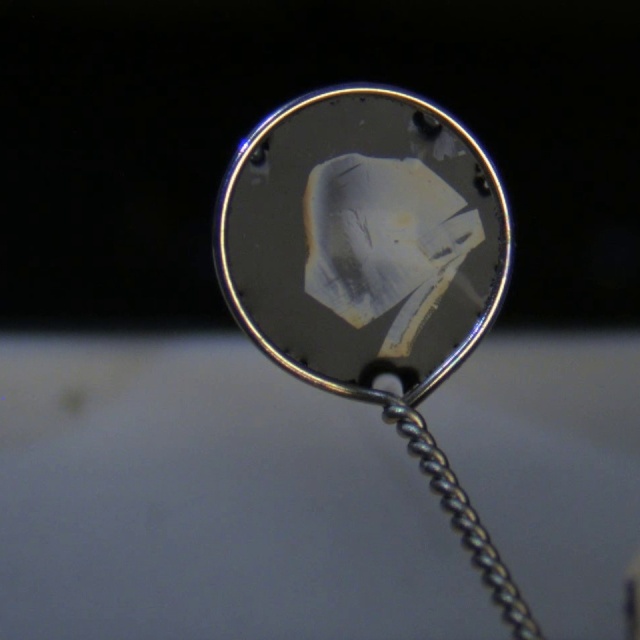
1. Input Image
The pipeline takes a raw sectioning image.
2. Segmentation & QC Analysis
AutoTomeQC identifies the section, standardizes the crop, and runs it through multiple algorithmic checks.
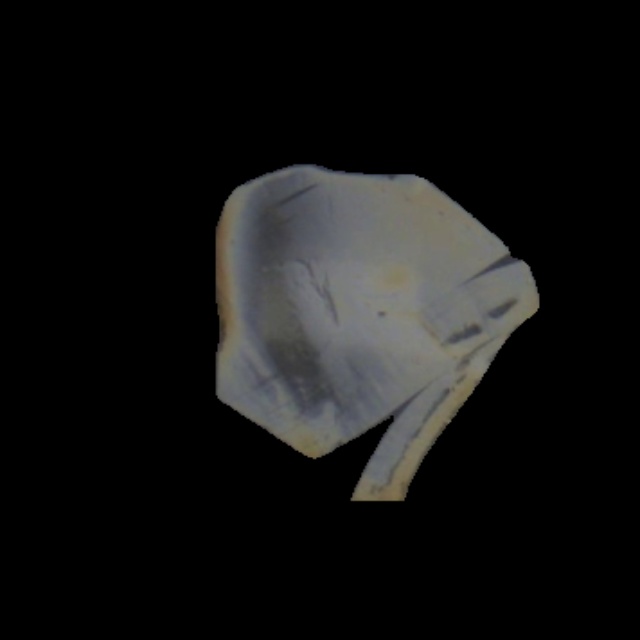
Terminal Output:
Ready > example/input_images/img1.jpg
autotomeqc.interface.cli - INFO - Processing: img8
autotomeqc.interface.cli - INFO - Status:     FAIL
autotomeqc.interface.cli - INFO - Reason:     Section failed QC criteria
autotomeqc.interface.cli - INFO -  -> Section 0: FAIL | Area: 24504px
autotomeqc.interface.cli - INFO -     ✅ coverage: full_section
autotomeqc.interface.cli - INFO -     ❌ knife_mark: knifemark_shredding
autotomeqc.interface.cli - INFO -     ✅ thickness_consistency: Consistent
autotomeqc.interface.cli - INFO -     ✅ thickness: 60
autotomeqc.interface.cli - INFO -     ✅ shape: Diamond
3. Quality Control Report
The analysis generates a comprehensive JSON report containing the pass/fail status and specific metrics for every detected section.
Example JSON Report:
{
    "filename": "img8",
    "timestamp": "2026-04-23 20:49:57",
    "qc_summary": "FAIL",
    "fail_reason": "Section failed QC criteria",
    "processing_time_sec": 0.5774,
    "sections": [
        {
            "qc_result": "FAIL",
            "segmentation_conf": 0.96,
            "area_in_pixels": 24504,
            "overlap_ratio": 1.0,
            "criteria": {
                "coverage": {
                    "pass_status": true,
                    "label": "full_section",
                    "conf": 0.9958
                },
                "knife_mark": {
                    "pass_status": false,
                    "label": "knifemark_shredding",
                    "conf": 0.9992,
                    "reason": "Defect Detected: knifemark_shredding"
                },
                "thickness_consistency": {
                    "pass_status": true,
                    "label": "Consistent",
                    "conf": 0.8967
                },
                "thickness": {
                    "pass_status": true,
                    "label": "60",
                    "conf": 0.5589
                },
                "shape": {
                    "pass_status": true,
                    "label": "Diamond",
                    "metric": 5,
                    "message": "Detected Diamond (vertices=5)"
                }
            }
        }
    ]
}
Use the navigation menu on the left to learn how to install, use, and configure AutoTomeQC!